Lightroom Tips

LIGHTROOM DYNAMIC RANGE

[vc_row][vc_column][vc_column_text] Lightroom Auto Dynamic Range Every Thursday, I share a tip on Lightroom or Photoshop. For this Thursday, I show you another shortcut for using Lightroom Auto Dynamic Range. What is the Dynamic Range? In Photography, Dynamic Range is the ratio between the darkest and brightest parts of an image. Lightroom Auto Dynamic Range helps […]

LIGHTROOM DYNAMIC RANGE Read More »

Lightroom Dynamic Range

MOER LIGHTROOM HOTKEY

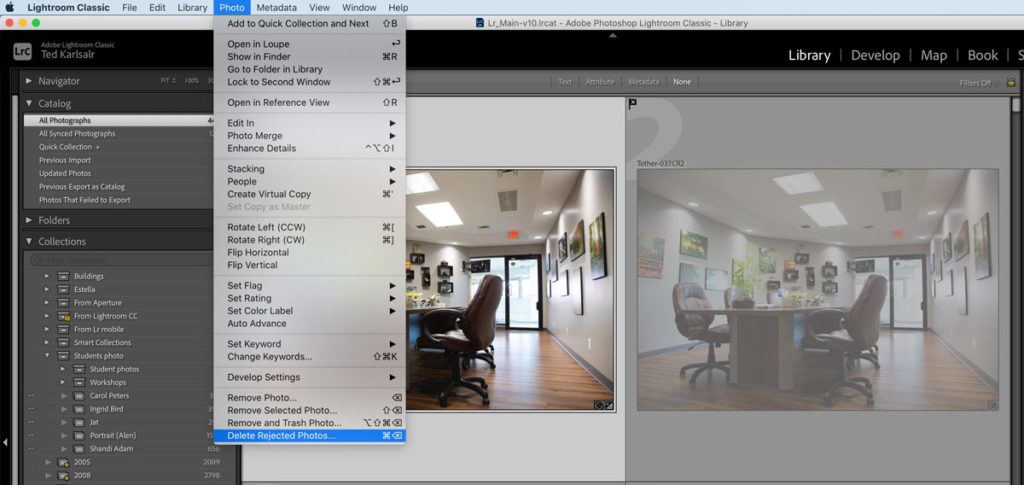
[vc_row][vc_column][vc_column_text] Lightroom Hotkey for Sorting Photos Lightroom is the most robust photo management software. Photographers can organize and manage pictures using Lightroom Hotkeys effortlessly. Previously, I covered a few Lightroom hotkeys. In this tip, I will discuss another powerful Lightroom hotkey in photo-management.  Lightroom Hotkey for Rejecting Photos Let’s admit it; we all get some

MOER LIGHTROOM HOTKEY Read More »

Lightroom Hotkey

SPOOKY Photos in LIGHTROOM EDITING

Editing Spooky Photos for Halloween in Lightroom: Unleash Your Creativity! This Halloween, let’s go beyond the ordinary and dive into a world of spooky photos editing! As a photographer, capturing the essence of Halloween is all about using your imagination, and what better way to enhance your eerie shots than by mastering advanced editing techniques

SPOOKY Photos in LIGHTROOM EDITING Read More »

Spooky Photo

LIGHTROOM NEW UPDATE

[vc_row][vc_column][vc_column_text] Lightroom New Update and Features Adobe recently updated the new Lightroom to Lightroom 10. These are my favourite Lightroom New Features. Naming the Lightroom Catalog The new Lightroom update allows you to name the catalogue. This feature helps you to keep track of different versions of the software. Dynamic Zoom Lightroom added a new

LIGHTROOM NEW UPDATE Read More »

Lightroom New Update

Lightroom Filter Bar

[vc_row][vc_column][vc_column_text] Useful Hotkey for Lightroom Filter Bar Previously, I listed a few Lightroom hotkeys. One of those hotkeys was the use of the BACKSLASH “\” key in the Develop module. In this #ThursdayCameraTip, I look into the backslash key function and Lightroom Filter Bar in the Library module. Lightroom Hotkey for Library Module Real estate

Lightroom Filter Bar Read More »

DSC 0795

Lightroom Shortcuts

[vc_row][vc_column][vc_column_text] Two More Lightroom Shortcuts Lightroom Shortcuts or Hotkeys are great helps to speed up the post-processing time. Using Lightroom Shortcuts allows you to focus on your editing task and achieve the results quicker. Previously, I discussed two functions of the Letter “F” as a shortcut in Lightroom, and the Letter “B” for using the Quick Collection.

Lightroom Shortcuts Read More »

011

Unleash Creativity

[vc_row][vc_column][vc_column_text] Tools and Skills to Unleash Creativity All we need to unleash creativity is a little know-how. Hence, it is my pleasure to assist other artists by sharing my knowledge and experience. Previously, I shared a step-by-step tutorial on how to change colours in Lightroom using different brushes. Jake Webber, one of my previous students,

Unleash Creativity Read More »

Jake webber f

Photo Enhancement in Lightroom

[vc_row][vc_column][vc_column_text] Photo Enhancement Steps In Lightroom  As I discussed in a previous blog post, there are no limitations for Photo Enhancement. However, it all depends on what you are looking as the final result. Personally, I don’t like heavy handed photo enhancement, since it makes the picture unrealistic. Hence, a moderate photo enhancement is what

Photo Enhancement in Lightroom Read More »

Photo enhancement00010
Scroll to Top